
What is Subtitle Translation?
1. What is the Subtitle Translation Feature?
The Subtitle Translation feature in SafeShell VPN allows users to watch streaming content with subtitles in their preferred language. This feature is currently available for Netflix and Disney+.
Note: Subtitle Translation is not yet available for Disney+ Middle East
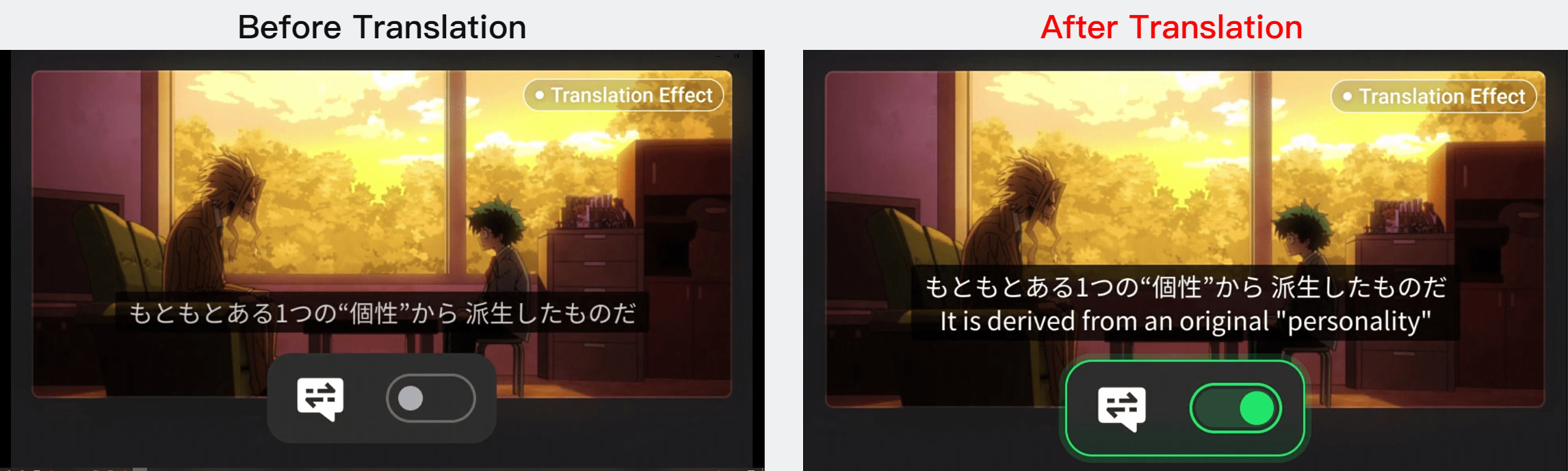
For example, if a user switches from the US to Japan using our VPN to watch anime, the Netflix native subtitles might only be available in Japanese. With this translation feature, users can see translated subtitles displayed below the native Netflix subtitles, providing a more enjoyable viewing experience.
When using the Subtitle Translation feature, translated subtitles will appear below the native Netflix subtitles. This allows you to view both the original and the translated subtitles simultaneously, ensuring you can fully understand the content, whether it’s in Japanese, French, German, or any of the supported languages.
2. Which languages are supported by the Subtitle Translation Feature?
Currently, we support subtitle translation for the following languages:
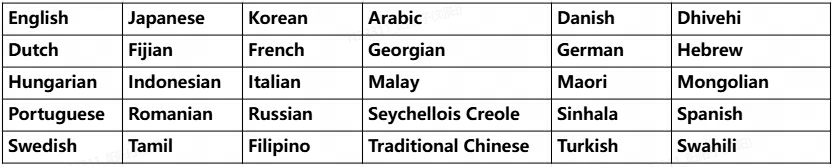
We are continuously adding support for more languages to ensure a seamless experience for users worldwide.
3. Can I choose to display only the translated subtitles and hide the native ones?
Currently, the feature displays both the native Netflix subtitles and the translated subtitles at the same time. This dual display ensures users can see the original text alongside the translation for better comprehension. We are exploring options to allow more customization in the future.
4. How can I enable the Subtitle Translation Feature?
Open SafeShell VPN, swipe up on the homepage, and you will see the Subtitle Translation feature. Follow the on-screen instructions to complete the setup!
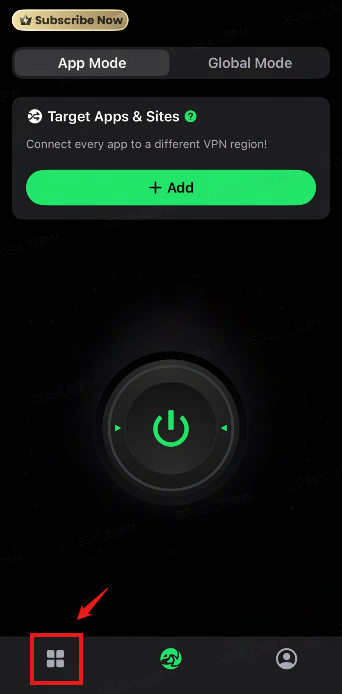
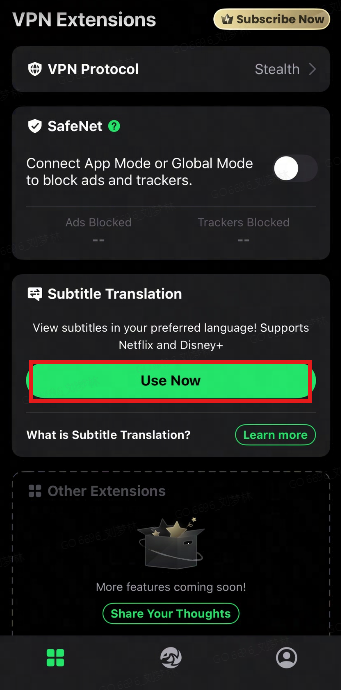
This feature is currently available on iOS and Apple TV, and we are actively working to expand support to more systems. Feel free to try it out!

